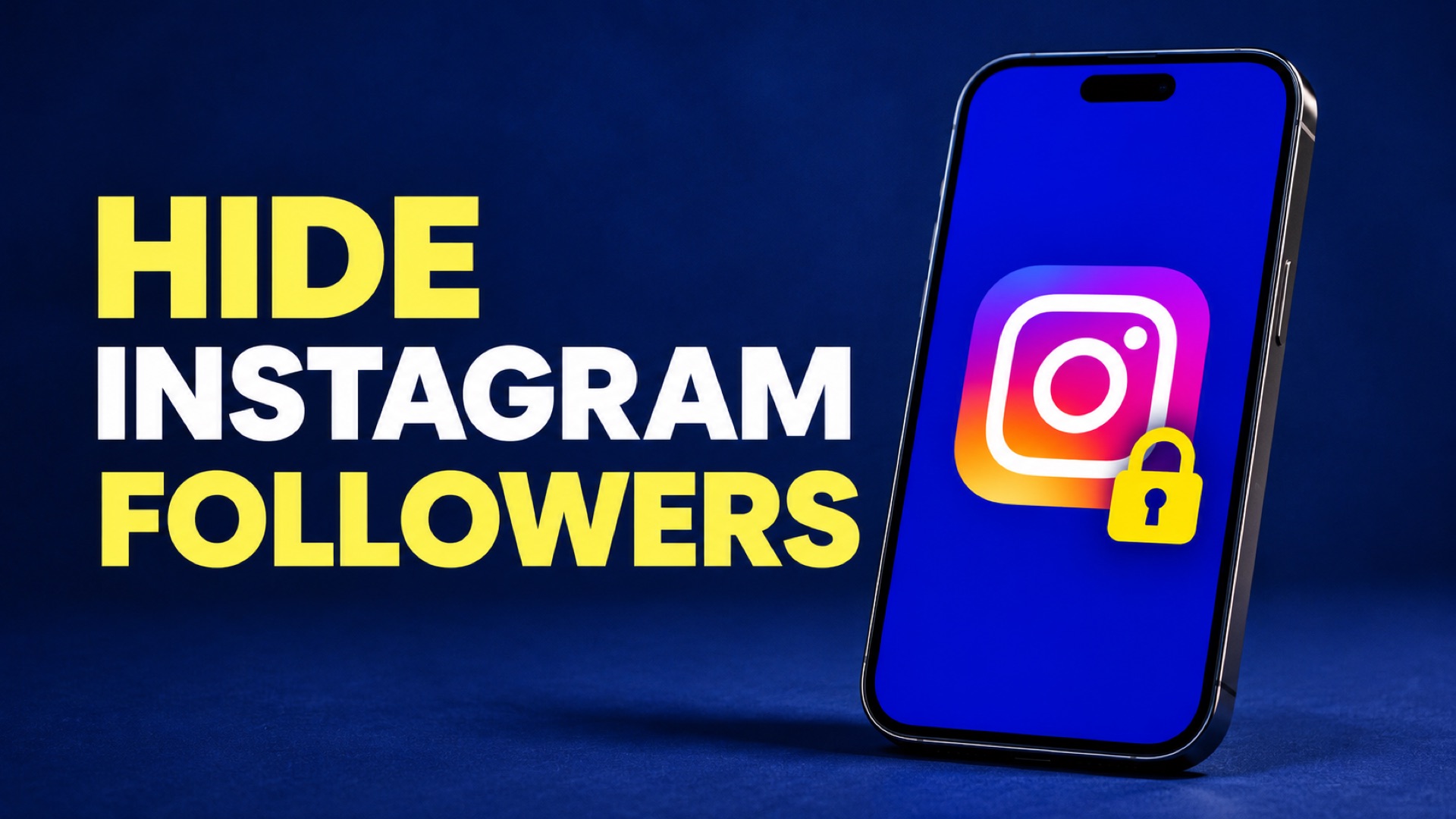
If you’re looking for how to hide followers on Instagram, start with who you want to keep from seeing them. Instagram offers no separate setting that hides your Followers or Following list from everyone while your profile stays public. Making a personal account private limits access for people you haven’t approved. If your concern is one person and you need to stay public, you can block that account.
A private account can still show your follower count, and public accounts in your network can be visible. So before you change anything, decide whether you want to hide the number, the names in a list, or your whole profile from a particular account.
On this page
Who can see your Followers and Following lists?
Followers lists the people and accounts that follow you. Following lists the accounts you follow. The numbers on your profile tell people how many accounts are in each list. A visible number also doesn’t tell you whether someone can tap it and open the list.
| Who is looking | Your account is public | Your account is private |
|---|---|---|
| An account that doesn’t follow you | Can generally open both lists | Instagram’s comparison says public accounts in your lists can still be visible. It limits visibility of private accounts in those lists to your followers. |
| Someone who already follows you | Can generally open both lists | Keeps their existing access to both lists until you remove or block them |
| Someone you removed | Can generally still view your public profile and lists | Has the same access as other non-followers |
| Someone you blocked | Loses access to your profile from the blocked account | Loses access to your profile from the blocked account |
Instagram’s general privacy guidance describes sending a follow request to see a private profile’s lists. Its more detailed comparison distinguishes public and private accounts within those lists. Use that distinction when deciding what you need to protect. If you’re concerned about a particular name, check for that name from a separate account instead of relying on the lock icon. Instagram’s comparison of public and private accounts.
Suppose you follow a public photography studio and a friend whose profile is private. Switching your own account to private leaves both connections in place. A non-follower may still be able to see the studio connection, while the private connection falls under the narrower visibility rule. Someone can also look at the public studio’s own followers. When a single connection is sensitive, check both ends of it.
How to limit who sees your lists with a private account
On iPhone or Android, switch to the Instagram profile you want to change before opening settings. If you manage two profiles, glance at the username on your Profile tab first. Turning on privacy for your personal account won’t change your shop, portfolio, or other profile.
- Open Instagram and tap your profile picture in the bottom-right corner.
- Tap the three-line menu at the top of the profile.
- Under Who can see your content, select Account privacy. You can also search for “account privacy” in settings.
- Turn on Private account and confirm Switch to private if Instagram prompts you.
- Review your existing Followers list. Remove anyone you no longer want to approve as a follower.
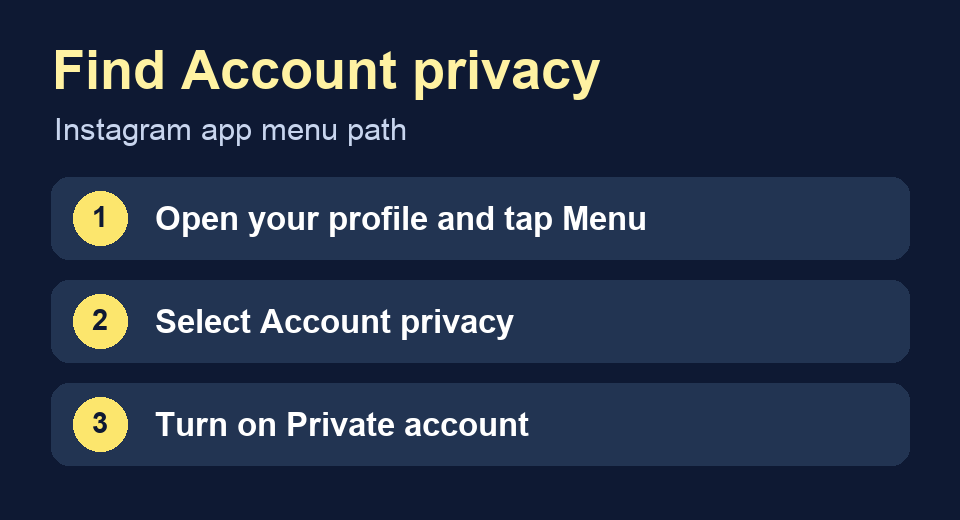
New followers have to request access once the account is private. People who already follow you stay on the list, and Instagram does not make them request access again. If changing the switch was your whole plan for keeping a current follower out, go back to Followers, find their exact username, and decide whether to remove or block them. Make your account private.
If the switch is missing, check your account type. Instagram says business profiles must switch to a personal account before they can go private. Before doing that for a shop or a client, check what you use in the professional dashboard. Save any insights you need for reporting and confirm who can approve the account change. If your goal is to limit one unwanted interaction while customers can still find you, you may prefer to keep the public profile and use an account-level block. Instagram’s instructions for making an account private.
How to hide who you follow on Instagram
Instagram applies the same account privacy setting to Followers and Following. If you need to remove one name from your own Following list, open that profile, tap Following, and choose Unfollow. That action changes who you follow. If the account also follows you, the connection in the other direction still exists until they unfollow you, you remove them, or you block them.
For example, suppose you want to disconnect your personal profile from a public club account. Search for the club in your Following list and check your Followers list separately. If the club appears in both, unfollowing handles the first list and removing the club handles the second. If you still want to follow its posts, going private may limit some visibility, but check what shows on the club’s public followers list before assuming the connection is hidden. Instagram’s public and private account comparison.
The list you see while signed in as the owner is useful for managing connections. To check what someone else can see, open the profile from an account with the same access as that person. A friend you already approved and a stranger can get different results from the same profile.
How to limit access while keeping your account public
When the profile has to stay public, focus on what you want to change for that account. A prospective customer still needs to be able to find a public business page. If one account keeps looking you up, blocking is the Instagram control that cuts off that account’s direct access to your profile. Open the person’s profile, tap the three-dot menu, choose Block, and review the options Instagram shows before confirming. Instagram’s blocking help.
If your profile remains public, people can still look at it through other accounts that you haven’t blocked. Instagram sometimes offers to include other accounts it associates with the same person. Use the options presented in the confirmation, and judge the result by which accounts can still open your profile. If other people also need to lose access to your content, review whether staying public still meets your goal.
For a creator who uses public Reels to bring in new viewers, check the trade-off with a recent post. Send its link to someone who doesn’t follow you and ask what they can open. If you go private, repeat the check after the switch. When the issue is a crowded follower list and your work still needs a public audience, a separate personal profile gives you a place to approve connections individually. Keep work clips on the profile you intend to share publicly. Market Burner’s Instagram Reels size guide.
Remove a follower when you want to revoke approval
Open your profile, tap Followers, find the person, and tap Remove beside their name. Confirm if Instagram asks. Instagram says it sends no notification when you remove a follower, though the person can find out by visiting your profile. On a private account they can request to follow you again. On a public account they can generally still see the profile after removal. Remove a follower on Instagram.
Suppose you have a private account and want a former coworker to stop seeing your private posts. Remove them from Followers and leave any new request unapproved. If you also want to stop that account from opening your profile or contacting you directly, review the Block option. Removing and blocking address different parts of that situation.
Use Restrict for comments and messages
Restrict changes how a person can interact with you. Instagram says it changes how their comments appear and moves their messages into Message Requests. Your profile’s list visibility still follows your privacy setting. Mute changes what you see from another account, and Close Friends lets you pick the audience for content you share to that list. Use the profile privacy and blocking controls when the lists are your concern. Restrict or unrestrict someone on Instagram.
How to check what another account can see
Run this check from a real Instagram account you control that doesn’t follow you, or ask someone you trust who hasn’t followed you. A logged-out browser may show a sign-in prompt, so it’s a poor way to check what another signed-in person can see. Stay in the same Instagram app for each view so you can compare the results.
- From the second account, search for your exact username. Check which parts of the profile header appear.
- Tap Followers. Write down whether the list opens and whether any public or private accounts you were looking for appear.
- Return to the profile and check Following separately. A visible count can remain even when list access is limited.
- Repeat with an approved follower if you need to know what current followers see. If you removed someone, check that they no longer appear in your own Followers list.
A quick way to track this is to write “count visible,” “list opens,” and “name found” next to each list. If the second account can see your follower count but can’t find the name you were trying to keep private, you’ve learned more than you would from the count alone. If the name does appear, check whether the other account is public and whether the connection also appears on its own profile.
If you see a message that Instagram limits what you can see, try opening a different public profile from the same account. Meta has confirmed it restricts access to follower and following lists for accounts it flags as potential scammers. That’s one documented reason Instagram can limit access, and the message alone doesn’t reveal which condition applies. When checking your own privacy, use a second account that can open another ordinary public profile’s lists. Meta’s explanation of limits on follower lists.
Frequently asked questions
Can you hide your follower count on Instagram?
The count and the names in the list are separate. Instagram’s account privacy switch changes access to content and some connections, while the follower and following totals can still appear in your profile header.
Can I hide only my Following list?
Instagram offers one account privacy setting for both lists. If your concern is one account you follow, you can unfollow it to remove it from your Following list.
Does Instagram notify someone when you remove them as a follower?
Instagram says the person gets no notification. They can still notice the change if they look at your profile and see the Follow or Request button.
Can approved followers still see my lists after I go private?
Yes. Existing followers keep their access when you go private. Review your Followers list and remove anyone whose approval you want to revoke.
Why is the Private account switch missing on my Instagram business profile?
Instagram requires business profiles to switch to a personal account before going private. Review any professional tools you rely on before changing account type.